

What Causes a Thermal Receipt Printer to Overheat and How to Prevent it?
2026-09-14
1. What Are the Most Common Causes of Overheating in a Thermal Receipt Printer?
Overheating in a Thermal Receipt Printer is rarely caused by a single factor. It is usually the result of a combination of conditions that increase the thermal load on the printhead. The most common causes are: high print density (darkness setting too high), continuous printing without adequate cooling intervals, high ambient temperature, blocked ventilation, and a worn or dirty printhead. Each of these factors increases the amount of energy that the printhead must dissipate. When the rate of heat generation exceeds the rate of heat dissipation, the temperature rises. In our factory, we have analyzed returned printers from retail and hospitality environments. The data shows that print density setting and ambient temperature are the two most significant factors.
Heat generation principle: The thermal printhead contains a row of tiny resistors that heat up when current passes through them. The amount of heat generated is proportional to the square of the current and the resistance. The heat is dissipated through the ceramic substrate, the heat sink, and the surrounding air. If any of these dissipation paths is compromised, the temperature rises.
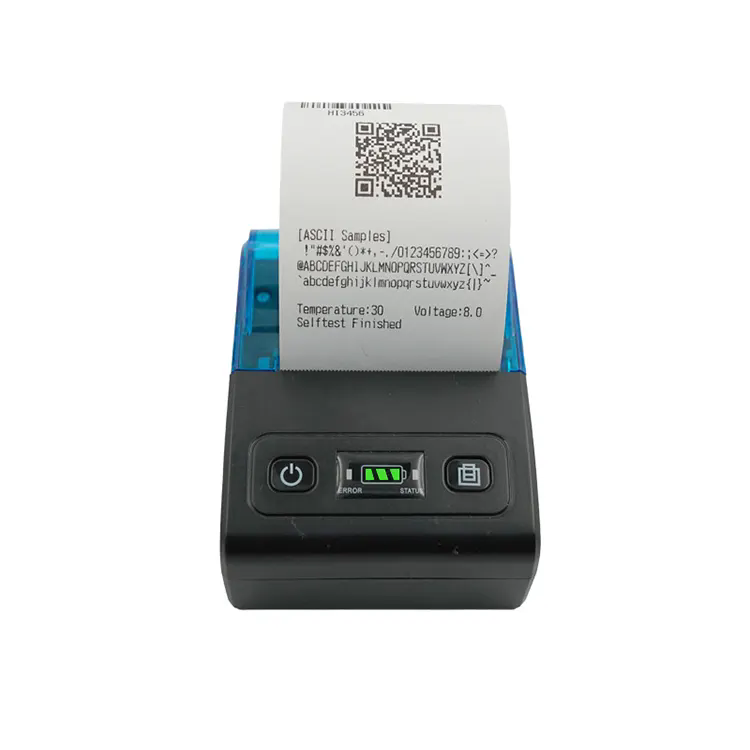
Xiamen Peite Electronic Technology Co., Ltd. designs our Thermal Receipt Printer units with a heat sink that is sized to handle the maximum print density at an ambient temperature of 40°C. However, when the ambient temperature exceeds 40°C, or when the printer is installed in a confined space without ventilation, the heat sink may not be sufficient. The table below shows the relationship between ambient temperature and printhead temperature for a typical 80mm Thermal Receipt Printer.
| Ambient temperature (°C) | Printhead temperature at low density (°C) | Printhead temperature at high density (°C) | Risk of overheating |
| 20 | 38 | 46 | Low |
| 30 | 44 | 55 | Moderate |
| 40 | 52 | 65 | High |
| 50 | 60 | 78 | Very high |
| 60 | 70 | 92 | Critical |
The data shows that at an ambient temperature of 40°C, the printhead reaches 65°C at high density, which is above the recommended maximum of 60°C. This is why many printers experience overheating problems in summer or in kitchens where the ambient temperature is high.
2. How Does Print Density Setting Affect Heat Generation?
The print density setting controls the amount of energy delivered to each resistor in the printhead. A higher density setting means more energy per dot, which produces a darker image but also generates more heat. Many users increase the density setting to compensate for low-quality thermal paper or to make the receipt more legible. However, this practice significantly increases the thermal load on the printhead. The table below shows the effect of density setting on power consumption and printhead temperature.
| Density setting | Energy per dot (mJ) | Power consumption (W) | Printhead temperature rise (°C) |
| Low (1) | 0.15 | 18 | +12 |
| Medium (3) | 0.25 | 28 | +20 |
| High (5) | 0.38 | 42 | +32 |
| Very high (7) | 0.52 | 58 | +45 |
Our factory recommends a density setting of 3 (medium) for most receipt printing applications. This setting provides adequate darkness for legibility while keeping the printhead temperature within the safe operating range. If the print appears too light at this setting, the problem is more likely the thermal paper quality or a dirty printhead, not the density setting.
3. What Role Does Ventilation and Installation Play in Preventing Overheating?
Heat dissipation depends on airflow. A Thermal Receipt Printer that is installed in a confined space, such as a closed cabinet or a wall-mounted enclosure, will not dissipate heat effectively. The heat sink and the ventilation slots must have at least 50 mm of clearance on all sides. In our factory, we have tested printers in various installation configurations. The table below shows the effect of installation clearance on printhead temperature.
| Installation condition | Clearance around printer | Printhead temperature at medium density | Risk level |
| Open counter, well ventilated | > 100 mm | 52°C | Low |
| Open counter, moderate ventilation | 50 – 100 mm | 58°C | Moderate |
| Enclosed cabinet, no fan | < 20 mm | 72°C | High |
| Enclosed cabinet with fan | < 20 mm with forced air | 60°C | Moderate |
If the printer must be installed in an enclosed space, we recommend adding a small ventilation fan to the enclosure. The fan should draw cool air from outside and exhaust hot air from the top of the enclosure. This simple addition can reduce the printhead temperature by 10 to 15°C.
4. What Maintenance Practices Prevent Overheating and Extend Printhead Life?
Regular maintenance is the most effective way to prevent overheating. There are three practices that every technician should follow. The first is cleaning the printhead. Debris, adhesive residue, and paper dust accumulate on the printhead surface and act as an insulating layer, preventing heat from dissipating. Clean the printhead with a lint-free swab and isopropyl alcohol every time you change the paper roll. The second practice is checking the platen roller. A worn or hardened platen roller does not press the paper evenly against the printhead, which can cause hot spots. Replace the platen roller every 12 months or every 50 kilometers of paper. The third practice is monitoring the ambient temperature. If the printer is installed in an area where the temperature regularly exceeds 40°C, consider adding a fan or relocating the printer to a cooler location. In our factory, we provide a maintenance kit with every Thermal Receipt Printer that includes cleaning swabs, a platen roller, and a maintenance schedule.
Frequently Asked Questions About Thermal Receipt Printer Overheating
Summary for Maintenance Technicians and Store Managers
Overheating in a Thermal Receipt Printer is a preventable problem. The root causes are high density settings, high ambient temperatures, poor ventilation, and lack of maintenance. By understanding the relationship between these factors and the printhead temperature, technicians can take practical steps to prevent overheating and extend the life of the printer. Regular cleaning, proper installation, and appropriate density settings are the three most effective preventive measures. Xiamen Peite Electronic Technology Co., Ltd. has been manufacturing Thermal Receipt Printer units for over 15 years and provides maintenance kits and replacement parts for all of our models.
Xiamen Peite Electronic Technology Co., Ltd. manufactures Thermal Receipt Printer units with high-efficiency heat sinks, thermal protection circuits, and replaceable printheads. We provide maintenance guides and technical support for all of our products.