

How to Program Shedding Sequences on the D2861A Electronically Controlled Rotary Dobby
2026-06-12
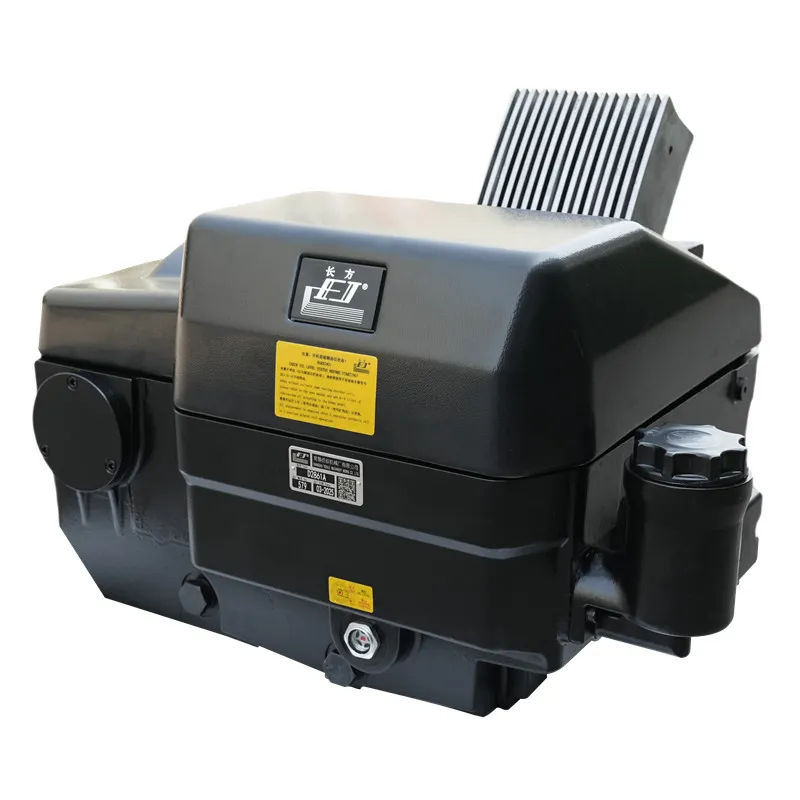
For modern weaving mills, precision in shed formation is non-negotiable. The D2861A Electronically Controlled Rotary Dobby from CHANGFANG represents a leap in programmable shedding technology. Unlike mechanical dobbies that require physical cam changes, this electronic unit allows operators to modify shedding sequences digitally, reducing downtime from hours to seconds. Proper programming directly impacts fabric quality, weft insertion rate, and warp yarn friction.
Understanding the Programming Workflow
Programming the D2861A Electronically Controlled Rotary Dobby follows a logical order. The table below outlines the core steps before entering pattern data.
| Step | Action | Tool/Interface Required |
|---|---|---|
| 1 | Power on the control panel and verify emergency stop is released | Integrated HMI |
| 2 | Select "Pattern Edit" mode from the main menu | Touchscreen or keypad |
| 3 | Choose the shedding style (center, open, or semi-open shed) | Software drop-down |
| 4 | Enter harness frame numbers (1 to 16, depending on configuration) | Numeric keypad |
| 5 | Assign lift (1) or non-lift (0) for each pick | Binary input grid |
| 6 | Save the sequence to a named pattern file | USB or internal memory |
Once saved, the D2861A Electronically Controlled Rotary Dobby executes the sequence synchronously with the loom’s main shaft encoder.
Step-by-Step to Program a 6-Pick Repeat
Assume a simple 6-pick repeat for a twill derivative. Navigate to the "Sequence Table" on the CHANGFANG HMI panel. Enter the following binary pattern for 4 harness frames. Each column represents one pick.
| Pick No. | Frame 1 | Frame 2 | Frame 3 | Frame 4 |
|---|---|---|---|---|
| 1 | 1 | 0 | 0 | 1 |
| 2 | 0 | 1 | 1 | 0 |
| 3 | 1 | 0 | 1 | 0 |
| 4 | 0 | 1 | 0 | 1 |
| 5 | 1 | 1 | 0 | 0 |
| 6 | 0 | 0 | 1 | 1 |
After entry, press "Verify Sequence." The D2861A Electronically Controlled Rotary Dobby will simulate the shed movements without running the loom. If the simulation matches the desired fabric design, upload the file to active memory.
Advanced Parameters
Beyond binary lifts, the CHANGFANG D2861A Electronically Controlled Rotary Dobby allows programming of:
-
Shed timing angle (adjustable from 280° to 330° of crankshaft angle)
-
Dwell length (how many degrees the shed remains fully open)
-
Harness frame speed profile (separate settings for slow, medium, and high-speed frames)
These parameters reside in a secondary "Expert Settings" menu, accessible with a technician-level password.
D2861A Electronically Controlled Rotary Dobby FAQ
Q1: What happens if I program a sequence that exceeds the maximum picks supported by the D2861A Electronically Controlled Rotary Dobby?
A: The D2861A Electronically Controlled Rotary Dobby has a built-in memory limit of 1,200 picks per pattern. If you attempt to program a sequence longer than 1,200 picks, the HMI panel will display “Error Code E-43: Pattern Overflow.” The machine will refuse to save the file. To resolve this, break the long design into multiple smaller patterns (e.g., three patterns of 400 picks each) and use the “Pattern Chain” function to link them automatically. This feature is standard on all CHANGFANG units manufactured after 2020.
Q2: Can I program different shedding sequences for the left and right sides of the same fabric on the D2861A Electronically Controlled Rotary Dobby?
A: Yes. The D2861A Electronically Controlled Rotary Dobby supports bilateral programming through its “Dual Zone” mode. Access this by pressing Menu → Configuration → Shedding Type → Dual Zone. You will then see two separate programming grids: one for the left 8 harness frames and one for the right 8 frames. This is particularly useful for weaving selvedge designs that differ from the main fabric body. CHANGFANG recommends testing the bilateral sequence at 50% of target speed for the first 5 minutes to verify that no harness frame collision occurs.
Q3: How do I recover a saved sequence after a power failure on the D2861A Electronically Controlled Rotary Dobby?
A: The D2861A Electronically Controlled Rotary Dobby incorporates an auto-backup system. Every 30 seconds, the current active sequence is written to non-volatile flash memory. After a power failure, the machine powers on with the last saved sequence still in active memory. However, any unsaved edits from the last 30 seconds are lost. To manually recover a specific pattern file, go to File → Recovery → Browse Backups. CHANGFANG suggests saving critical patterns to both internal memory slot A and an external USB drive weekly. The USB port supports FAT32-formatted drives up to 32 GB.
Maintenance and Validation
After programming, always run the D2861A Electronically Controlled Rotary Dobby at slow speed (10 picks per minute) for one full repeat. Monitor the harness frame movements against the program grid. If any frame fails to lift or drop correctly, check the solenoid valve diagnostics on the HMI. CHANGFANG supplies a pre-loaded diagnostic pattern (file name “DIAG_T_16”) that tests all 16 frames in sequence—a useful tool for validation.
Contact CHANGFANG Today
Optimizing your shedding sequences directly increases loom output and reduces warp stops. For a custom programming guide tailored to your fabric structure, or to request a remote demonstration of the D2861A Electronically Controlled Rotary Dobby, contact our technical sales team at CHANGFANG.